
Documentation Index
Fetch the complete documentation index at: https://claworc.com/docs/llms.txt
Use this file to discover all available pages before exploring further.
Embedded Browser
Click the browser button on any running instance to open a full-screen view of the agent’s browser. The browser is paired with OpenClaw out of the box, allowing you to collaborate with your agent by signing in to your accounts beforehand, so you don’t need to expose credentials to the agent. There are three browsers available: Chrome, Chromium, and Brave — chosen when deploying the instance.On-demand Chrome sessions
The Chrome session for an OpenClaw instance starts lazily on first use — either when you click Browser on the instance, or the first time the agent makes a browser tool call. On a cold start you may briefly see a “starting browser…” loading state for up to about 60 seconds while the session comes up. After an idle period (15 minutes by default) the Chrome session is stopped to save resources. Sign-ins, cookies, and extensions are kept on a dedicated persistent volume and restored automatically the next time the session starts, so you don’t lose your work. Files Chromium downloads land in the OpenClaw instance’s sharedDownloads/ folder. They are
immediately visible from the File Browser and the Terminal — no copy or sync step is needed.
The default browser image and the idle timeout are set globally in admin Settings and can be
overridden per OpenClaw instance. See Managing instances for the
per-instance fields.
Migrating older instances. OpenClaw instances created before on-demand Chrome sessions were introduced still run the browser inside the agent container. Their detail page shows a one-click migration banner. See Migrating to on-demand browser for prerequisites and troubleshooting.
Terminal
Click Terminal on any running instance to open a full-screen terminal session inside the container. It gives you a shell environment, useful for running commands alongside the agent.File Browser
The file browser lets you navigate the container filesystem over SSH:- Browse — navigate directories
- Download — save a file to your computer
- Upload — transfer a file from your computer to the instance
- Create — create a new file or directory
Webchat
Click Chat on any running instance to open a conversation with the OpenClaw agent. The chat panel can run side by side with the embedded browser so you can watch the agent work while you talk to it. Toggle between Chat + Browser and Chat only views using the layout switch at the top of the chat panel.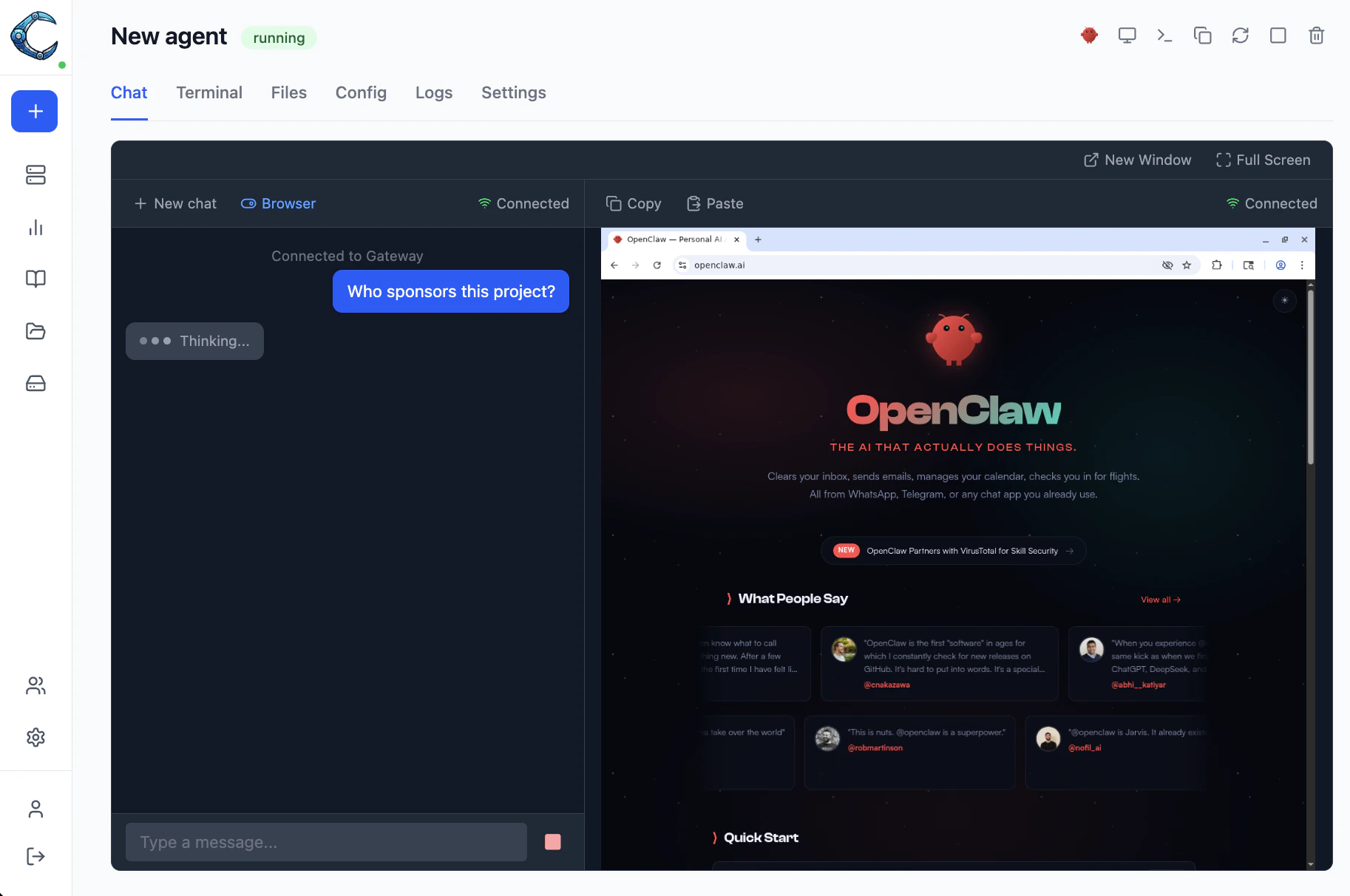
Live logs
Click Logs on the instance detail page to stream the container’s stdout/stderr in real time.Session limits and access control
- Admins can access any instance.
- Regular users can only access instances explicitly assigned to them by an admin.